Last updated
Do Not Sell or Share My Personal Information
Our Privacy Policy
For a detailed understanding of how we handle your personal information, please review our Privacy Policy. You can always locate, access, and read our privacy policy on our Privacy Policy page.
Targeted Advertising and Your Privacy Rights
When you use LunarBLOX, your Personal Information may be shared with ad vendors for the purpose of targeted advertising. In some jurisdictions, this can be known as the "sale" or "sharing" of your Personal Information. You have the right to opt-out of the sharing of your Personal Information for these purposes at any time, by following the instructions below. Note that this only applies to Personal Information that we process from LunarBLOX. Any Personal Information you disclose or is processed via our website or any other services, will not be used for targeted advertising. Finally, please be aware that you must opt-out through the LunarBLOX system directly, as explained below.
How to Opt-Out
If you wish to opt-out of data sharing with ad vendors, you do have the right to do so. In order to opt-out properly, it's important to follow the steps below.
Step One: Open the LunarBLOX Launcher
Launch LunarBLOX. If done correctly, you'll see the home tab.
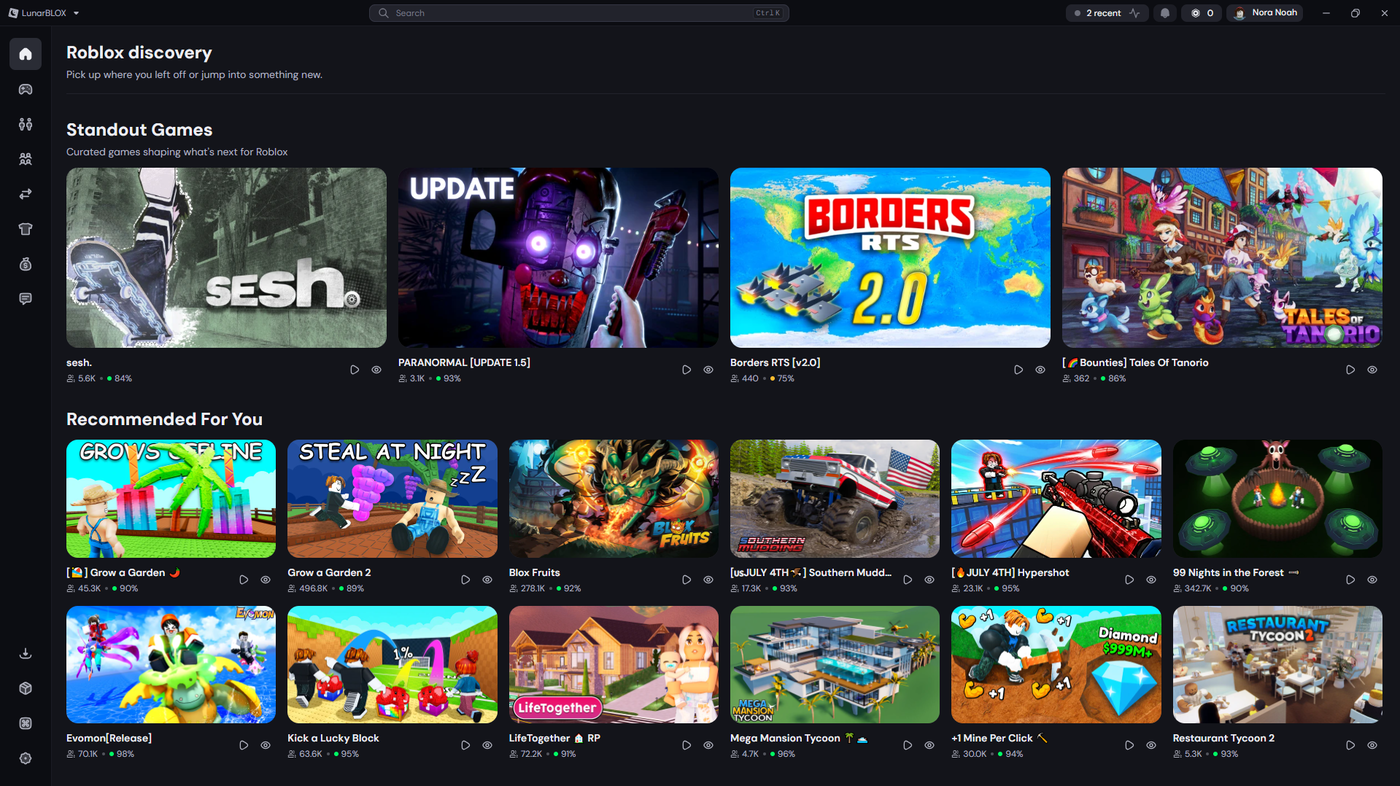
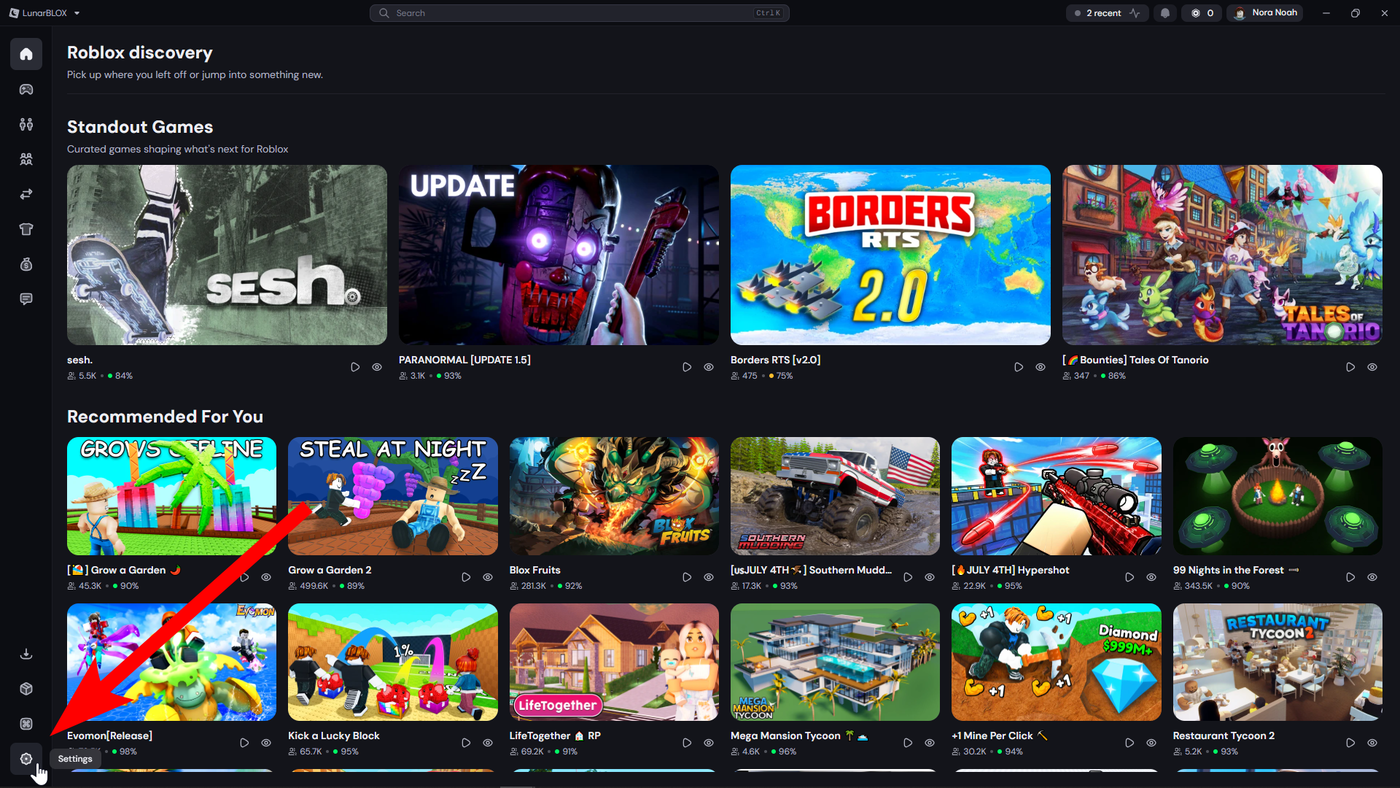
Step Two: Go into your Settings
You can locate and access your settings by clicking the cog wheel ⚙ in the bottom left corner.
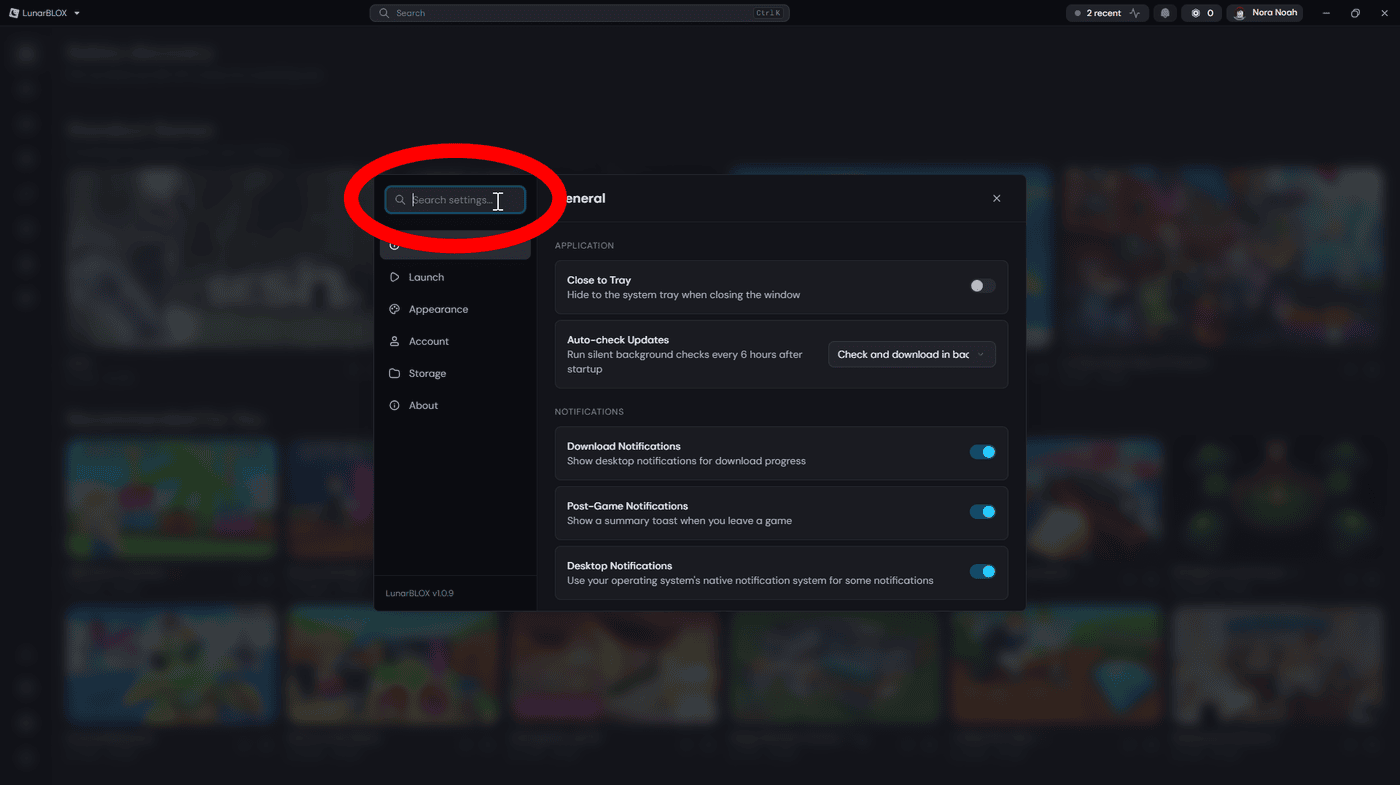
Step Three: Locate the Search Bar
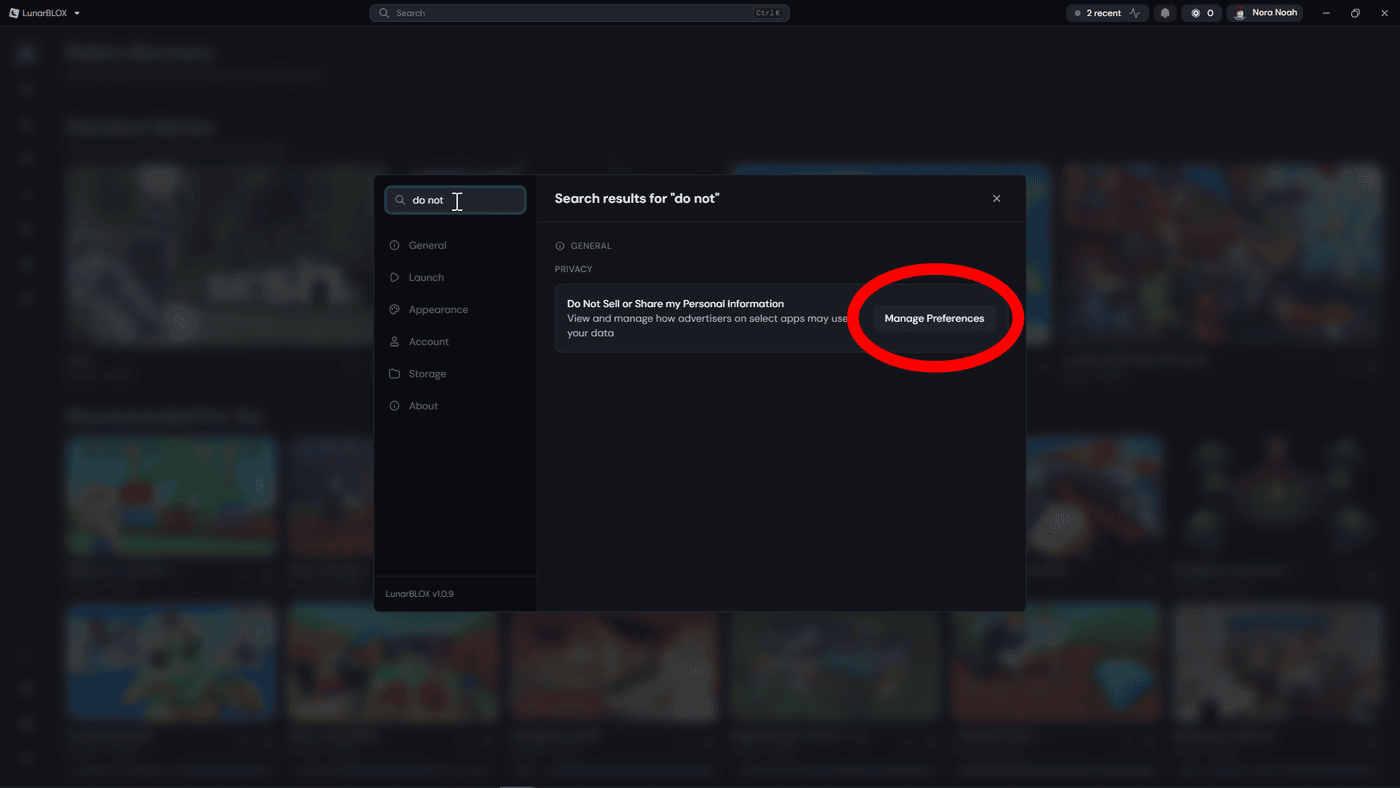
Find the settings search bar at the top left of the settings window.
Step Four: Search "do not sell"
Easily find the correct Privacy setting by searching for "do not sell", it should pop up right away! If this doesn't work, you can look through the settings until you find the right one.
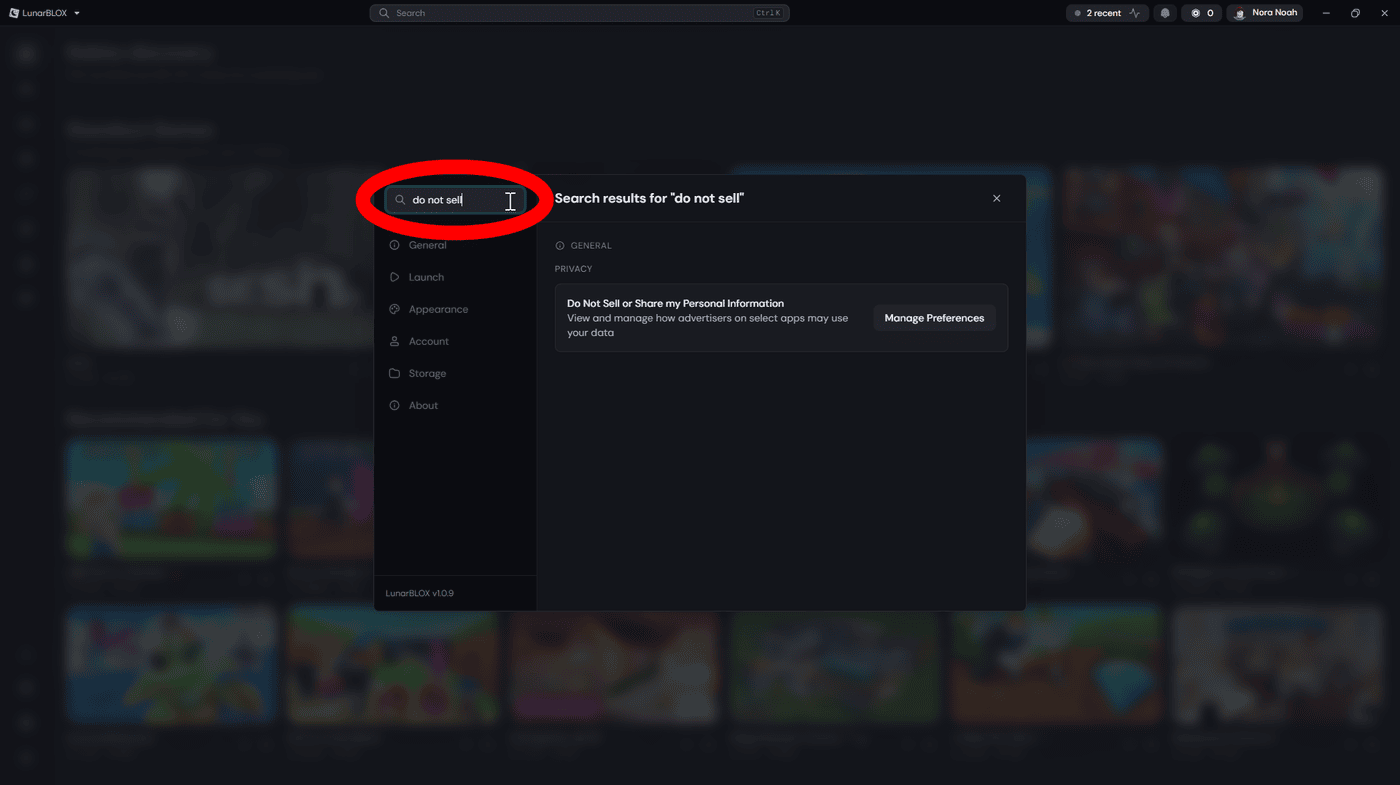
Step Five: Manage "Do Not Sell or Share My Personal Information"
Under the Privacy section find the setting called "Do Not Sell or Share My Personal Information" and select the Manage button. From here a consent form will open.
Step Six: Adjust your preference and Save!
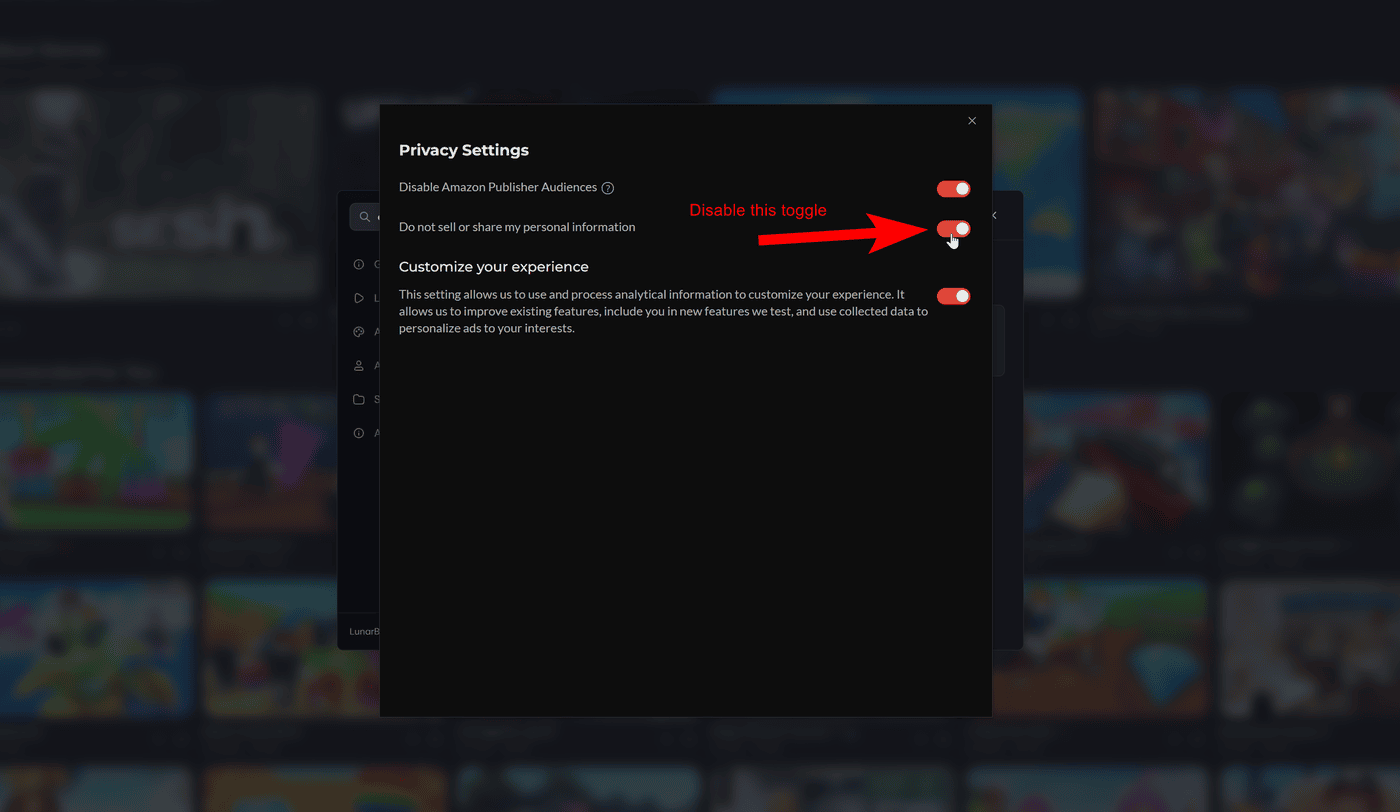
Once you're on the consent form, you may adjust your preferences, features, and see information about ad vendors. Once you have all your adjustments made, close out of the window.
What Happens After You Opt-Out?
Once we receive your opt-out request, regardless of a full or partial opt-out, your information will no longer be provided to our third-party ad vendors. You will still be able to use our products and services as intended. We do not discriminate against you for exercising your rights.
It's important to note that opting out in this manner, is not the same as making a formal request to delete or modify your Personal Information or exercise any of your other rights under the GDPR, the California Consumer Privacy Act, the Colorado Privacy Act, the Connecticut Data Privacy Act; the Utah Consumer Privacy Act; the Virginia Consumer Data Protection Act or any law of similar effect in any jurisdiction. For more information on how you can exercise your rights under these laws and to gain a detailed understanding of how we process your Personal Information, we invite you to review our Privacy Policy.
Additional Information
If you have any questions, concerns, or problems with this page or our privacy policy you can contact us at privacy@moonsworth.com.
Thank you for your trust and support, we are committed to protecting your privacy and respecting your rights.